UTECTF 2026 : 4en6ORev (Medium)
Author : Katjri
Key takeaways
- Ability : Code analyst, Static analyst, PE Structure, Forencis, OEP.
- Techniques : Header Manipulation, Packed, Fake OEP , XOR Encryption.
- Programming language : C/C++.
Case Summary
The file is initially corrupted because the threat actor changed the Magic Bytes from ‘MZ’ to ‘EZ’. By restoring the signature to ‘MZ’, the PE header becomes valid, allowing the file to be unpacked from its UPX layer. After bypassing several fake OEPs, the program decrypts a XOR-encoded string and finally writes it into an image file.
Analyst
Analyst and Report completed by IDA & HxD. Note : If you are a beginner, you should analyze binary files on a Virtual Machine with any binary files for safety.
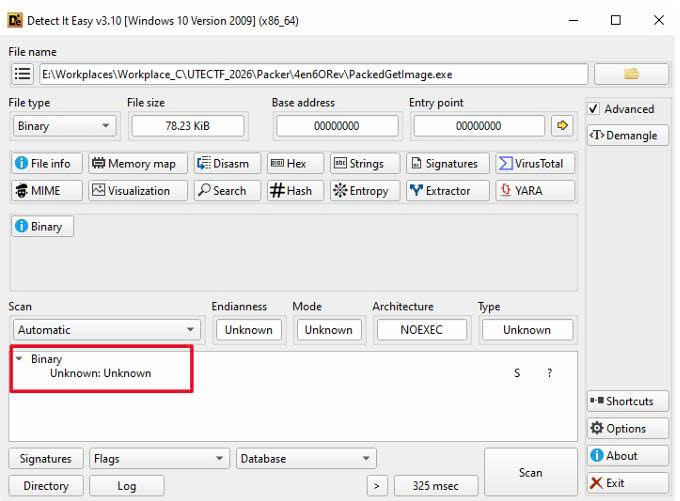
Firstly, this file must be checked by Detect It Easy, but there is no detection. It may be an abnormal binary. Let’s check structure of this binary.
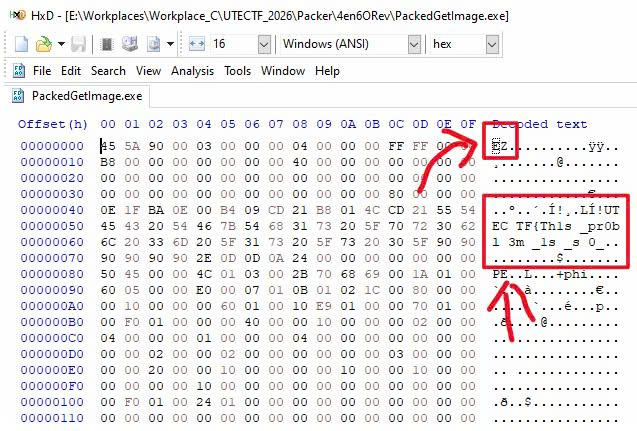
Secondly, this file was tested on various applications, and HxD was used to identify why it had an invalid format. The analysis revealed that the Magic Number of the PE structure had been changed to ‘EZ’ instead of ‘MZ’. Simultaneously, the half first flag is found in the DOS Header.
PE Structure : https://raviyelna.github.io/posts/70d9bb8e/
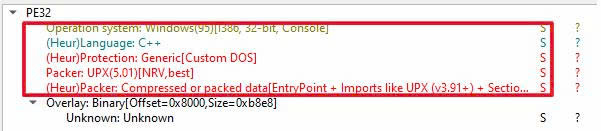
Analysis using Detect It Easy (DiE) confirms that the file is UPX-packed to compress its data. This makes manual analysis significantly more difficult, as the original functions and the OEP are obscured, adding an extra layer of complexity to the reverse engineering process. Okay, let’s unpack it.
upx -d <source file> -o <target file>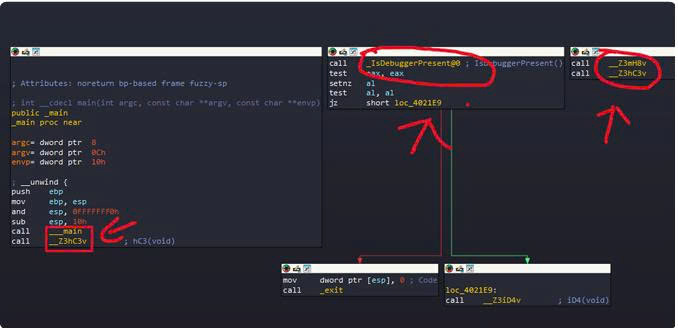
Next, there are many functions but only one is the real function to get the flag. All the other functions are fake, created just to make the analyst more difficult. Additionally, is is necessary to bypass IsDebuggerPresent because if the program is executed on debugging mode, it will be terminated immediately.
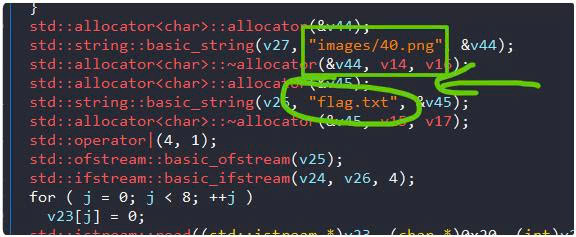
As the real function is found, there is a lot of syntax C/C++, it is so complex, but the control flow is very simple. It just reads 100 file images which taget is to get the image 40.png. Moreover, It reads string from flag.txt
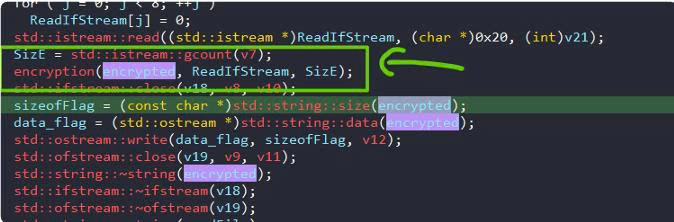
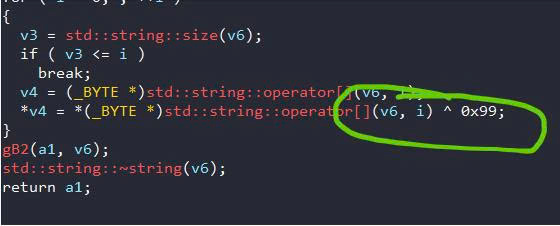
Those characters are encrypted using XOR and then encoded. Finally, the resulting output is stored in a variable named encrypted.
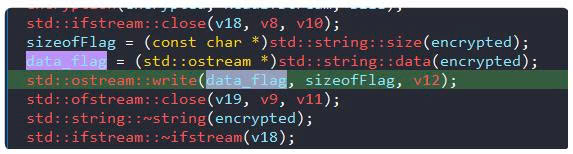
Last but not least, the decrypted string is appended to the end of the image file. Thus just check the image/40.png and get the flag.
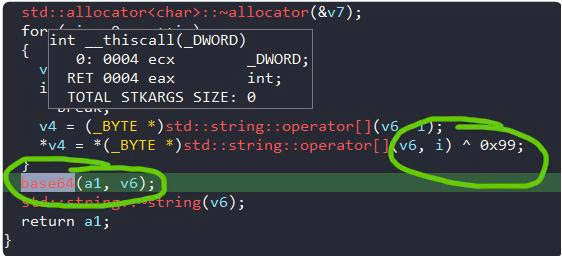
Open it on HxD, copy the string appended in advance and decrypt it to get the flag left.
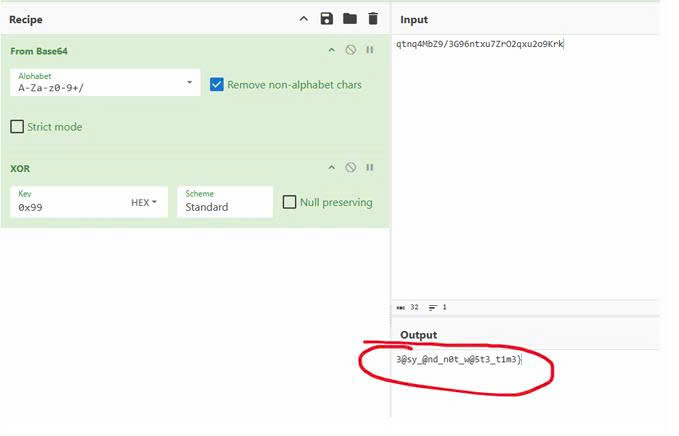
Okay, Just combine first half flag and last half flag you get :
Flag : UTECTF{Th1s_pr0bl3m_1s_s0_3@sy_@nd_n0t_w@5t3_t1m3}